Should I Use a Caching Plugin on FlyWP?
Should I Use a Caching Plugin on FlyWP?
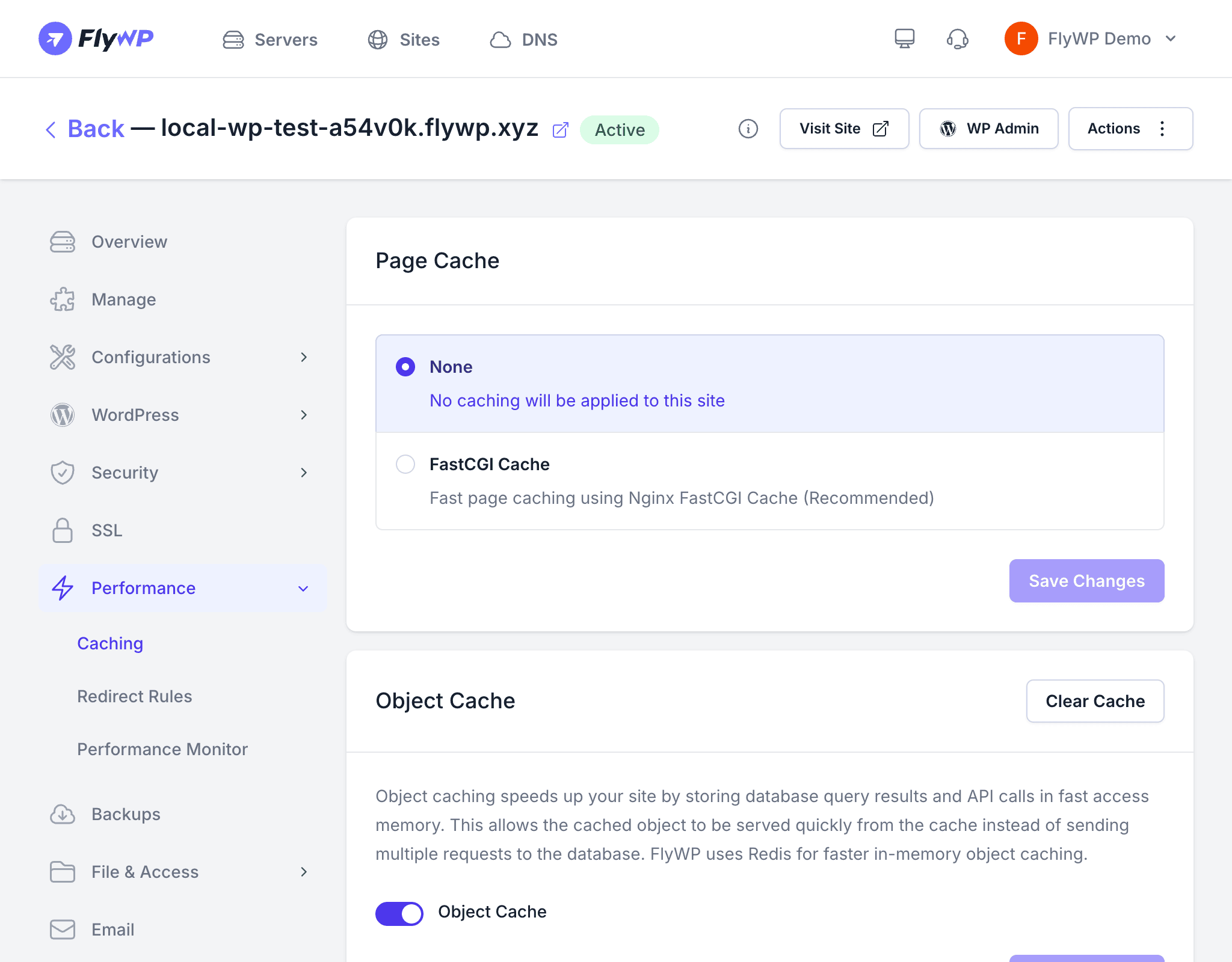
If you’ve migrated from shared hosting, you’re probably used to installing a caching plugin as a first step. On FlyWP, you can skip that entirely — the server already handles caching at a lower level than any WordPress plugin can reach, which means faster page loads without the plugin overhead. The short answer is: no caching plugin needed, with one small exception.
How FlyWP Handles Caching
FlyWP caches your pages at the server level, meaning cached responses are served before WordPress (or PHP, the scripting language that powers WordPress) ever wakes up. This is fundamentally faster than a WordPress plugin, which must at minimum boot PHP before it can serve anything.
| Server Type | Page Cache | How It Works |
|---|---|---|
| Nginx | FastCGI Cache | Nginx (the web server software) stores a snapshot of each page and serves it directly as plain HTML |
| OpenLiteSpeed | LiteSpeed Cache | OpenLiteSpeed’s built-in cache engine serves pages without touching PHP |
Both approaches are significantly faster than any WordPress plugin because the cache is served before PHP even loads.
Recommended Setup
Here is the right caching setup depending on your server type:
- Nginx servers: Enable FastCGI Cache (a caching layer built into Nginx) from the site’s Caching tab. No WordPress caching plugin is needed or recommended.
- OpenLiteSpeed servers: Install the LiteSpeed Cache plugin — this is the one exception. The plugin doesn’t do the caching itself; it acts as a bridge that communicates with OpenLiteSpeed’s built-in cache engine.
- Redis Object Cache: Enable from the Caching tab to complement page caching. Redis (an in-memory data store) caches database query results and API responses so repeated requests don’t hit your database.
Plugins to Avoid
The following plugins conflict with FlyWP’s server-level caching. Running them alongside FlyWP’s cache can cause double-caching, stale content, or unnecessary server load:
- WP Super Cache
- W3 Total Cache
- WP Fastest Cache
- WP Rocket (disable its page caching features — its optimization tools like minification are fine to keep active)
Running a WordPress page caching plugin alongside FlyWP’s FastCGI Cache can cause stale content, cache conflicts, and unpredictable behavior. Disable any WordPress page caching plugin when using FlyWP’s built-in cache.