WordPress Cron Settings
WordPress Cron Settings
WordPress includes a built-in task scheduler called WP-Cron that handles background jobs such as publishing scheduled posts, sending email notifications, running plugin update checks, and clearing expired transients.
How WP-Cron Works by Default
By default, WP-Cron is not a true scheduled job. Instead, it is triggered every time someone loads a page on your site. WordPress checks whether any scheduled tasks are due, and if so, runs them during that page request.
This approach has a significant limitation: if no one visits your site, scheduled tasks never run. On low-traffic sites, a post scheduled to publish at 9:00 AM might not actually go live until 11:00 AM or later — whenever the next visitor happens to arrive.
FlyWP’s System Cron
FlyWP replaces the default visitor-triggered WP-Cron with a real system-level cron job that fires on a configurable schedule, independent of site traffic.
To access the cron settings for a site, go to your site dashboard and select the Cron Settings tab.
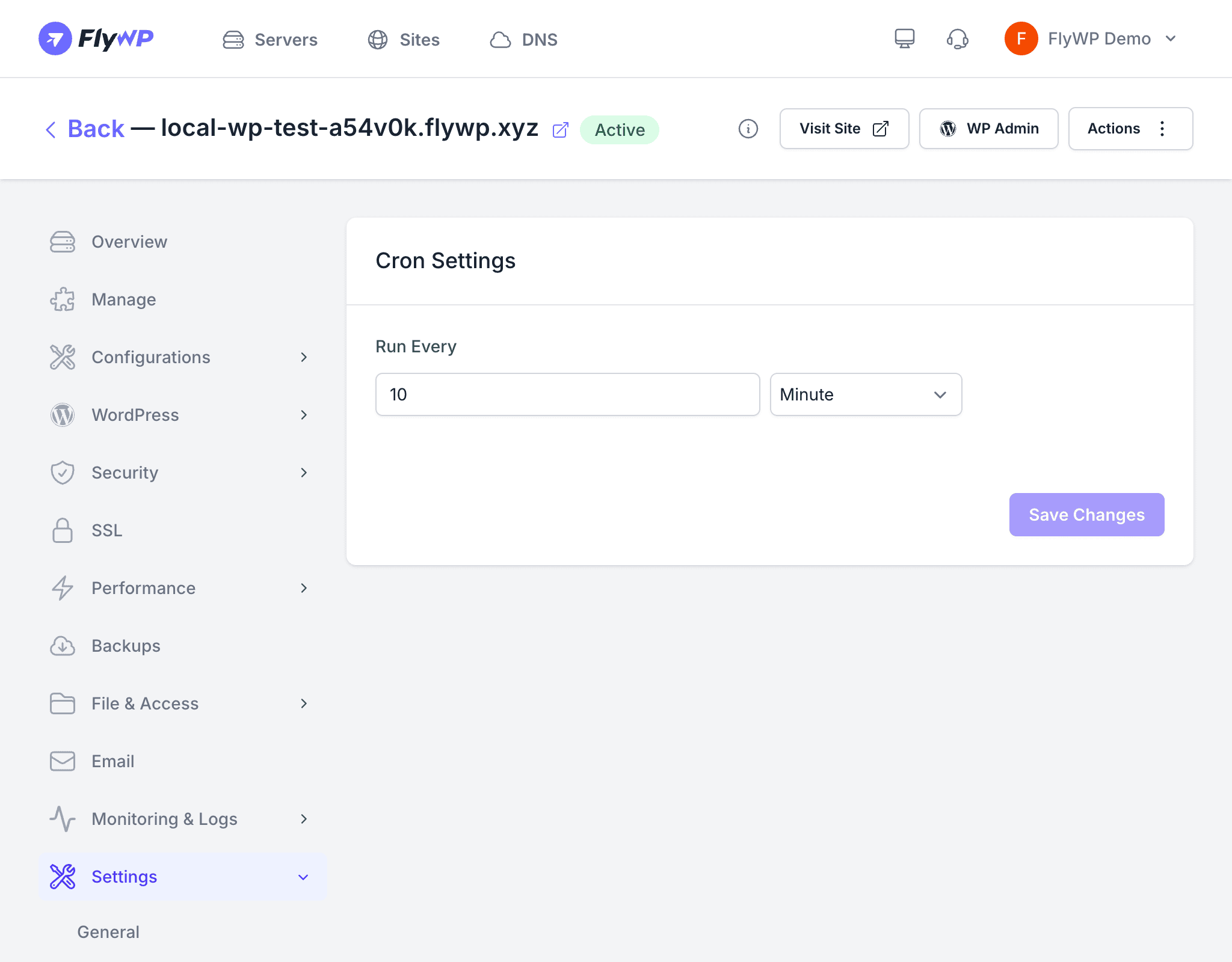
Configuring the Interval
You can set the frequency using two fields:
- Interval — a number value
- Unit —
seconds,minutes, orhours
The default is every 10 minutes, which suits most WordPress sites.
Site Cron vs. Server Cron Jobs
These settings control only WordPress’s internal task scheduler (WP-Cron). They are separate from the server-level cron jobs you can manage under your server’s Cron tab.
| Feature | Site Cron Settings | Server Cron Jobs |
|---|---|---|
| Scope | WordPress scheduled tasks | Any shell command on the server |
| Configuration | Interval and unit | Full cron expression |
| Location | Site dashboard > Cron Settings | Server dashboard > Cron |
Use server-level cron jobs when you need to run custom scripts or commands outside of WordPress. Use site cron settings to control how and when WordPress itself processes its own scheduled work.
Related Pages
- Server Cron Jobs — manage custom cron jobs at the server level
- Helper Plugin — the FlyWP helper plugin that integrates site-level features with WordPress