Hetzner
Hetzner
If you want powerful servers at a fraction of the price of major cloud providers, Hetzner is worth a close look. Based in Germany, Hetzner offers some of the best price-to-performance ratios available — making it a popular choice for agencies and developers who want to keep infrastructure costs low without sacrificing reliability. Once you connect your Hetzner account, FlyWP handles all the provisioning so you can spin up servers across Europe, the US, and Asia in minutes.
Prerequisites
Before connecting Hetzner to FlyWP, make sure you have:
- A Hetzner Cloud account with an active project.
- An API token (a credential that lets FlyWP communicate with the Hetzner API on your behalf) generated within a Hetzner Cloud project.
Connecting Hetzner to FlyWP
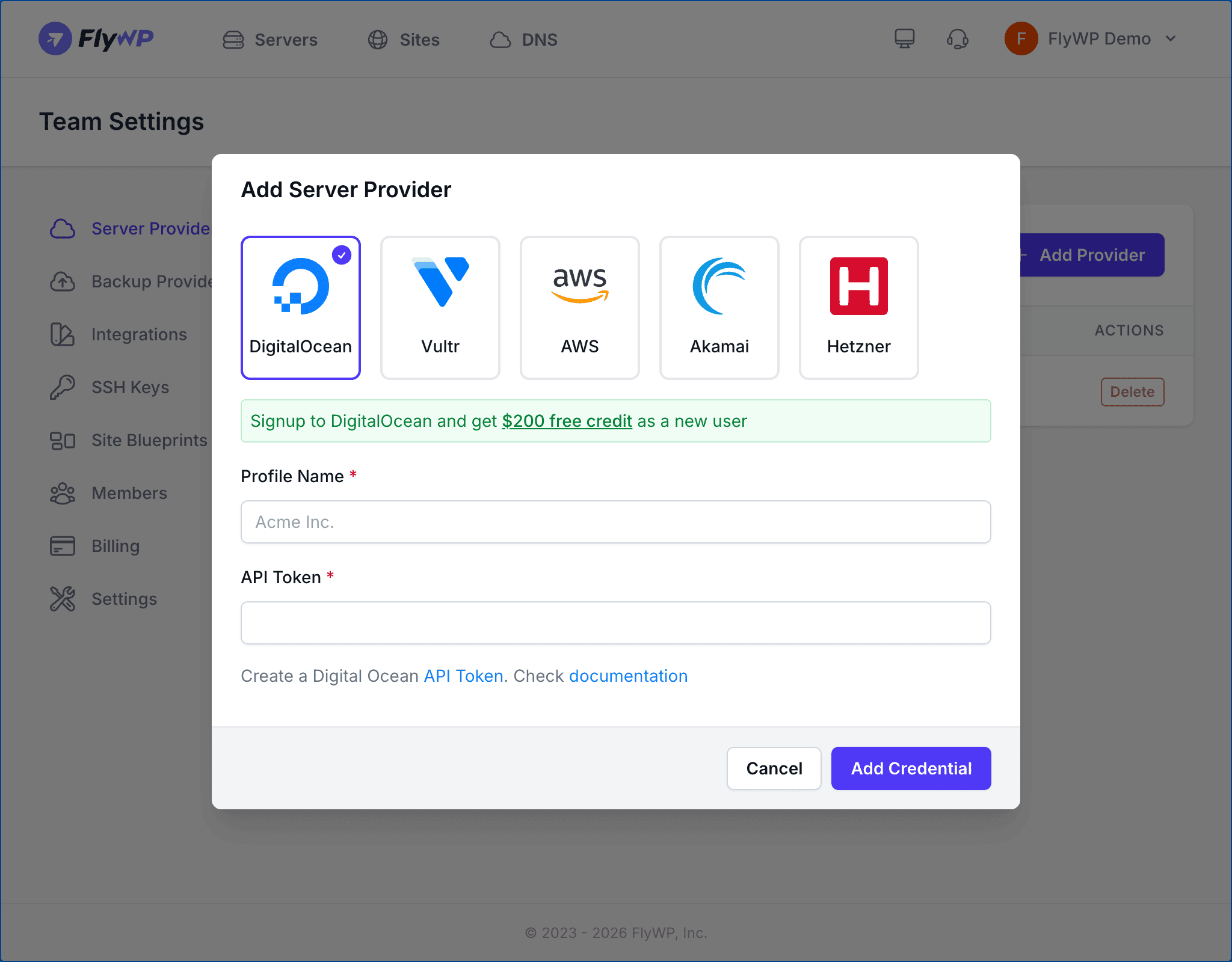
- Navigate to Team Settings > Server Providers.
- Click Add Provider.
- Select the Hetzner icon from the provider list.
- Enter a Profile Name for this connection (e.g.,
Hetzner EU). This must be unique within your team and can be up to 80 characters. - Paste your API Token into the token field.
- Click Add Credential.
FlyWP validates your token with the Hetzner API before saving. If the token is invalid, you will see an error message.
Getting Your API Token
Step 1: Open the Hetzner Cloud Console
Log in to the Hetzner Cloud Console and select the project you want FlyWP to manage.
Step 2: Generate an API Token
Navigate to Security > API Tokens within your project and click Generate API Token. Give it a descriptive name like FlyWP and select Read & Write permissions.
Step 3: Copy the Token
Copy the token immediately after generation — Hetzner only displays it once. If you lose it, you will need to generate a new one.
Hetzner API tokens are scoped to a single project. If you want FlyWP to manage servers in multiple Hetzner projects, you need to add a separate provider connection for each project.
Available Server Options
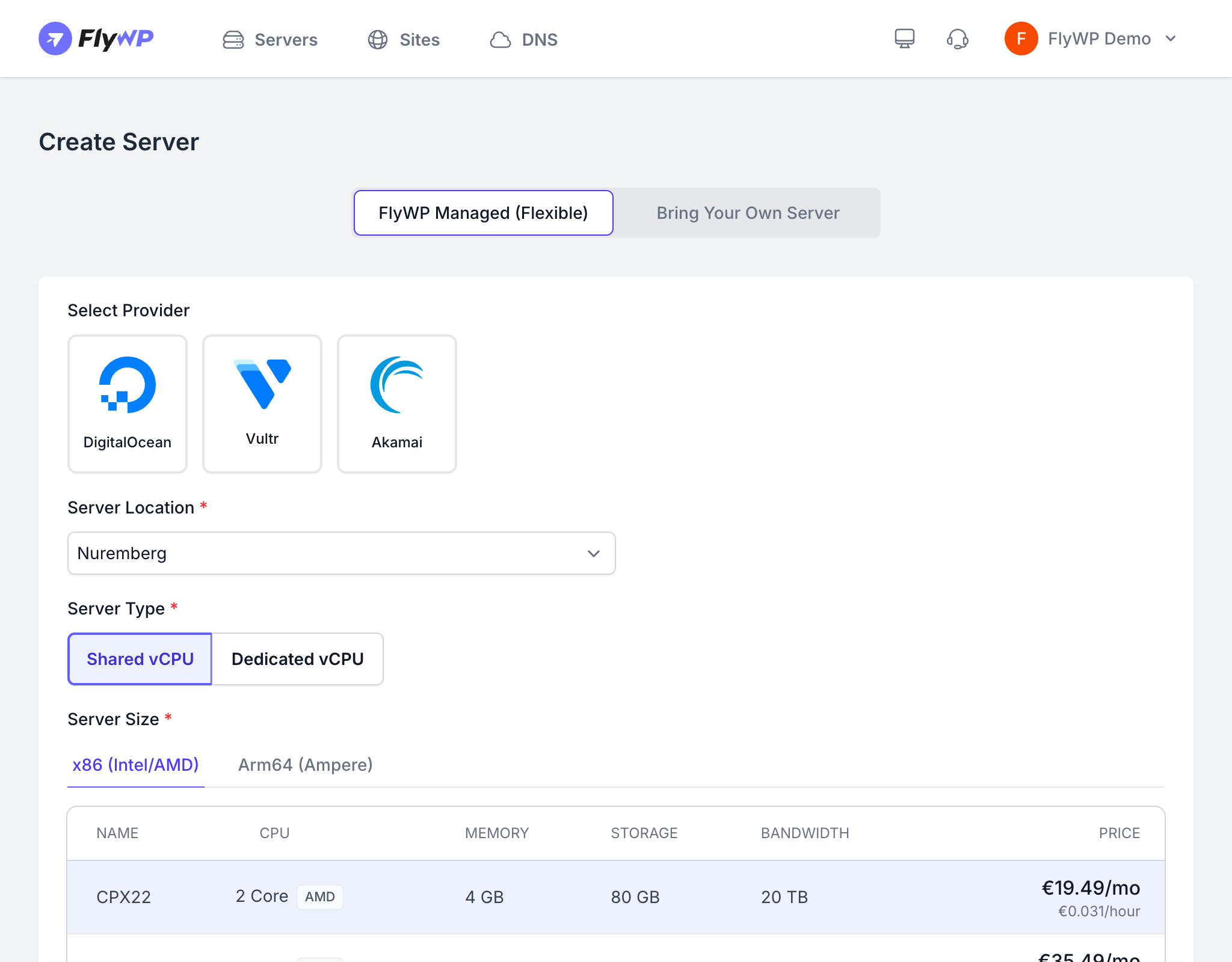
When creating a server through FlyWP with Hetzner, you have several hardware choices that other providers do not offer.
Server Types
| Category | Best For |
|---|---|
| Shared vCPU | Development, staging, and cost-effective production sites |
| Dedicated vCPU | High-traffic sites that require guaranteed CPU performance |
Processor Architecture
Hetzner is the only FlyWP-supported provider that lets you choose your CPU architecture (the underlying hardware instruction set your server runs on):
- x86 (Intel/AMD) — traditional architecture with the broadest software compatibility
- Arm64 (Ampere) — energy-efficient ARM processors with excellent price-to-performance
Locations
Hetzner has data centers in 6 locations:
| Location | Region |
|---|---|
| Falkenstein | Germany (EU) |
| Nuremberg | Germany (EU) |
| Helsinki | Finland (EU) |
| Ashburn, VA | United States |
| Hillsboro, OR | United States |
| Singapore | Asia Pacific |
Choose a location closest to your visitors to reduce latency (the time it takes data to travel between your server and your users).
Web Server Stack
Hetzner servers provisioned through FlyWP support both Nginx and OpenLiteSpeed web server stacks (the software that serves your WordPress files to visitors).
Pricing
Hetzner uses EUR-based pricing with both monthly and hourly billing options. Shared vCPU plans start at a few euros per month, making Hetzner one of the most cost-effective providers available through FlyWP. FlyWP bills you directly by Hetzner and does not add any markup to infrastructure costs.