FlyWP Helper Plugin
FlyWP Helper Plugin
Without this plugin, FlyWP has no way to talk to your WordPress site — updates won’t run, caching controls won’t respond, and health checks go dark. The FlyWP Helper Plugin is the secure communication layer that makes dashboard-driven management possible. FlyWP installs it automatically on every site, so you rarely need to think about it — until something goes wrong and you need to know what to look for.
What It Does
The helper plugin installs a set of authenticated API endpoints (URLs on your site that FlyWP calls to trigger actions, similar to a remote control) that the FlyWP platform uses to perform management tasks:
| Endpoint | Purpose |
|---|---|
/fly-api/updates | Check for available plugin, theme, and core updates |
/fly-api/update-plugins | Install plugin updates |
/fly-api/update-themes | Install theme updates |
/fly-api/update-core | Install WordPress core updates |
Every request to these endpoints is authenticated using a site-specific API key (a secret token tied to your site), so only your FlyWP account can trigger these actions.
Features That Depend on the Helper Plugin
Several key FlyWP features rely on the helper plugin being active and reachable:
- Centralized updates — checking for and installing plugin, theme, and core updates from the dashboard
- Caching management — controlling page cache and object cache (a system that stores frequently accessed data in memory to speed up your site) settings
- Site communication — health checks and status reporting back to FlyWP
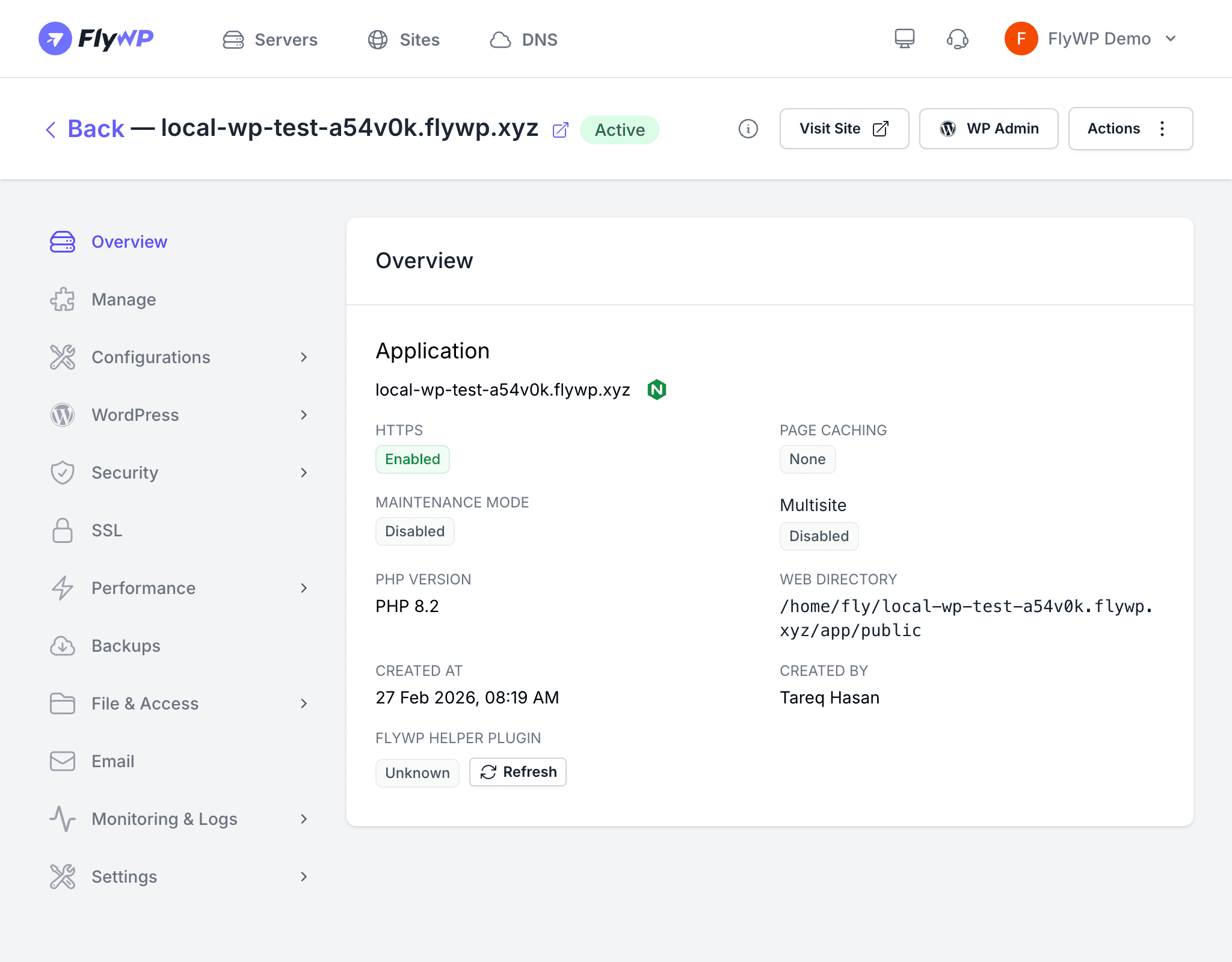
If the helper plugin is deactivated or missing, these features will stop working. FlyWP displays the plugin status on the site overview page so you can spot issues quickly.
Automatic Installation
When you create a new WordPress site through FlyWP, the helper plugin is installed and activated automatically. You do not need to download or configure it manually.
For multisite (WordPress Multisite / Network — a WordPress feature that lets you run multiple sites from a single installation) setups, FlyWP network-activates the plugin so it runs across all subsites in the network.
Authentication
The plugin authenticates incoming requests using the site’s unique API key. FlyWP includes this key in the headers of every request it sends. The plugin rejects any request that does not carry a valid key, blocking unauthorized access to the management endpoints.
Check and Fix
If the helper plugin stops working — for example, after a manual plugin cleanup or a failed update — you can repair it directly from the FlyWP dashboard without SSH (Secure Shell, a way to access your server via command line) access:
- Open the site’s overview page.
- Look for the helper plugin status indicator.
- If the status shows anything other than Enabled, click Check & Fix.
- FlyWP checks the plugin state, reinstalls it if needed, and activates it.