PHP Settings
PHP Settings
The PHP Settings page lets you tune how PHP runs for a specific site — independently of every other site on the same server. You can switch PHP versions before a plugin upgrade, raise memory limits for a resource-heavy theme, adjust upload sizes for media-rich sites, and control how many PHP worker processes run at once.
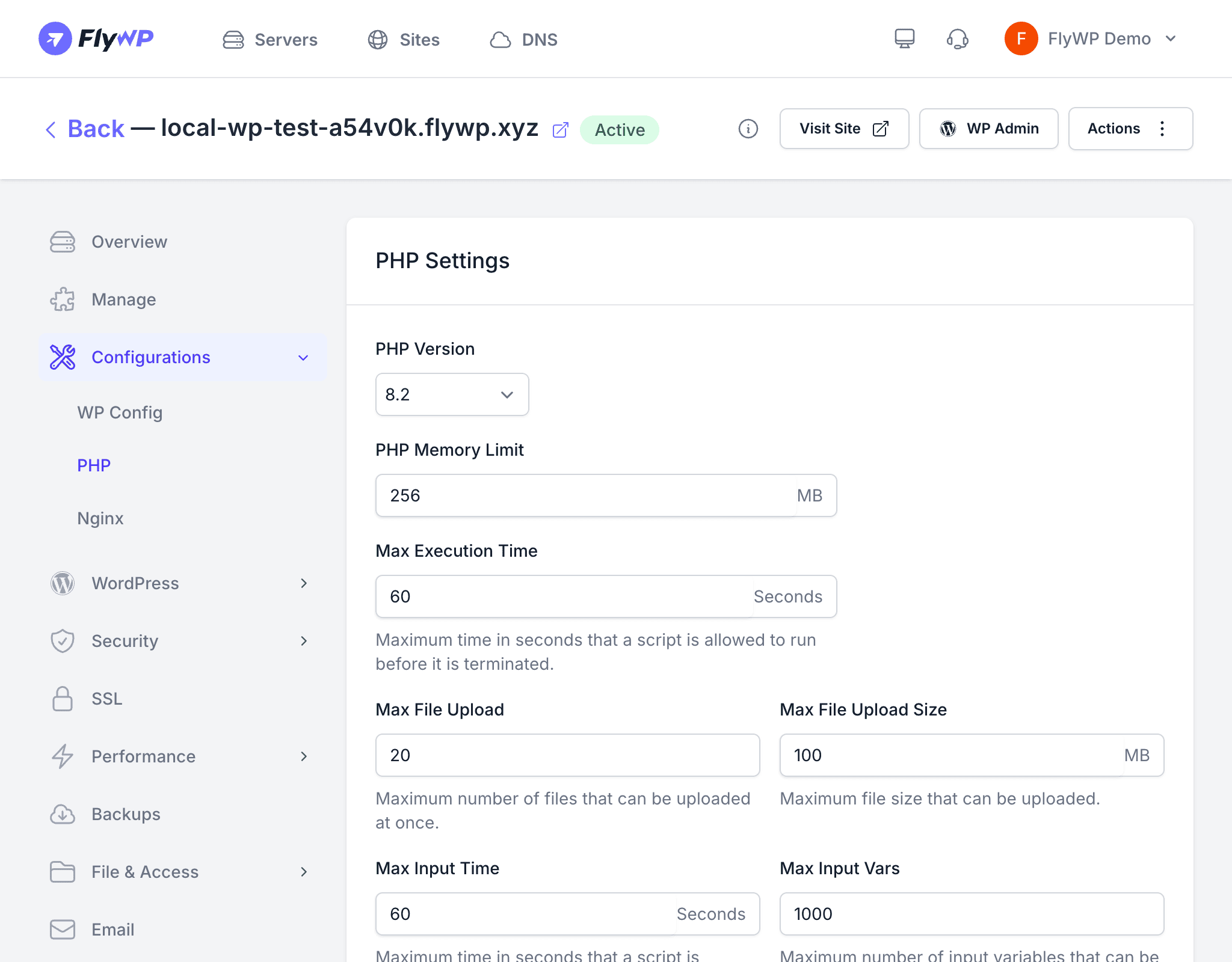
Navigate to your site, then go to Configurations > PHP to open this page. After making changes, click Save Changes to apply them. FlyWP restarts PHP-FPM in the background; the site remains available during the restart.
PHP Version
Select the PHP version this site runs on. FlyWP supports PHP 8.1, 8.2, and 8.3. On OpenLiteSpeed (OLS) servers, PHP 8.0 is not available.
Runtime Limits
These settings control how much resource a single PHP script can consume.
| Setting | Description | Example |
|---|---|---|
| PHP Memory Limit | Maximum RAM a PHP process can use before it is terminated | 256 MB |
| Max Execution Time | How long (in seconds) a script can run before PHP stops it | 60 |
| Max Input Time | How long (in seconds) PHP spends parsing request input data | 60 |
| Max Input Vars | Maximum number of input variables (form fields, query params) accepted per request | 1000 |
Upload Limits
| Setting | Description | Example |
|---|---|---|
| Max File Upload | Maximum number of files accepted in a single upload request | 20 |
| Max File Upload Size | Maximum size of a single uploaded file | 100 MB |
PHP-FPM Process Manager
PHP-FPM (FastCGI Process Manager) is the component that receives incoming requests and routes them to PHP worker processes. The Process Manager Type controls how that pool of workers is managed.
| Type | Description | Best for |
|---|---|---|
| Dynamic | Scales the worker pool up and down with traffic | Most sites — balances performance and memory use |
| Static | Keeps a fixed number of workers running at all times | High-traffic sites with steady, predictable load |
| On Demand | Spawns a worker only when a request arrives; shuts it down when idle | Low-traffic or dormant sites to conserve RAM |
Pool Size Settings
Fine-tune the worker pool using the fields below. Which fields are active depends on the Process Manager Type selected.
| Setting | Description | Applies to |
|---|---|---|
Max Children (pm.max_children) | Maximum number of worker processes allowed to run at once | Dynamic, Static, On Demand |
Start Servers (pm.start_servers) | Number of workers created at startup | Dynamic only |
Minimum Spare Servers (pm.min_spare_servers) | Minimum idle workers kept alive and ready | Dynamic only |
Maximum Spare Servers (pm.max_spare_servers) | Maximum idle workers before FlyWP shuts extras down | Dynamic only |
OPcache and JIT
Enable PHP OPcache
OPcache is a PHP bytecode cache — it compiles PHP source files into machine-readable bytecode once and stores that bytecode in memory. Subsequent requests skip the compilation step entirely, which dramatically speeds up PHP execution for all page loads.
When OPcache is enabled, changes you make directly to PHP files on disk will not take effect until the cache is cleared. FlyWP clears the cache automatically when you deploy code or save PHP settings.
Enable JIT Compiler
JIT (Just-In-Time compilation) goes a step further than OPcache — it compiles bytecode into native machine code at runtime. This can speed up CPU-intensive PHP tasks such as image processing or complex calculations. JIT is only available when OPcache is enabled.