Site Sleep and Wake
Site Sleep and Wake
Free up server resources by putting inactive sites to sleep, and bring them back online instantly when needed.
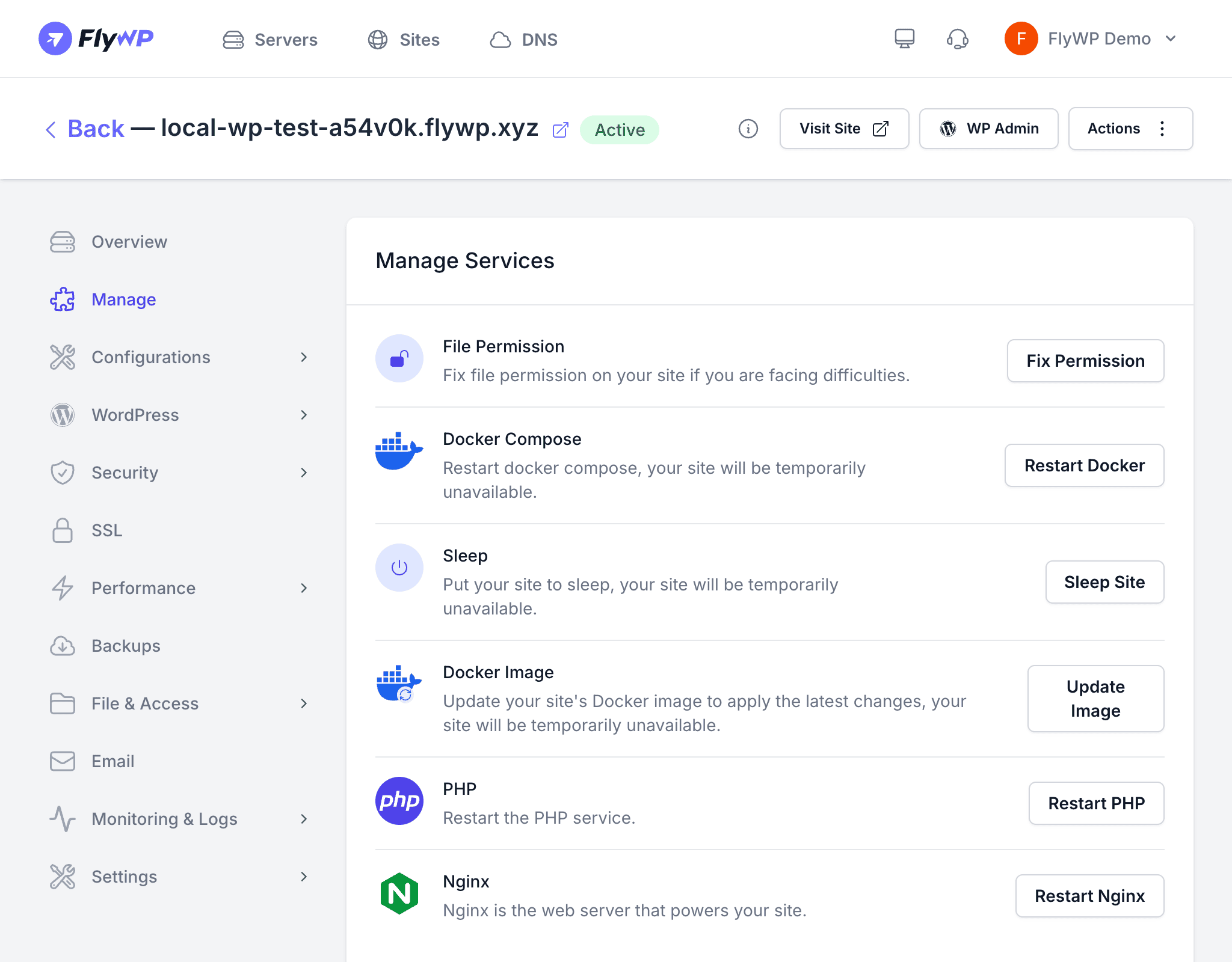
Not every site needs to run around the clock. Sleep shuts down a site’s Docker containers so it consumes zero CPU and RAM on your server, while preserving all files, databases, and configuration. Wake brings everything back up so the site is live again within seconds.
How Sleep Works
When you put a site to sleep, FlyWP:
- Changes the site status from Active to Sleeping.
- Runs
docker compose downto stop and remove the site’s running containers. - Preserves all site data — files, database, and configuration remain on disk.
A sleeping site uses no server compute resources. Its domain will not respond to HTTP requests until the site is woken up.
How Wake Works
When you wake a sleeping site, FlyWP:
- Runs
docker compose up -dto recreate and start the site’s containers. - Performs automatic health checks with retry logic — up to 12 attempts at 5-second intervals — to confirm the containers are healthy.
- Restores the site status to Active once all containers are running.
Putting a Site to Sleep
- Navigate to the site’s detail page and open the Manage tab.
- Click the Sleep button.
- Confirm the action.
The site status changes to Sleeping and visitors will no longer be able to access the site.
Waking a Sleeping Site
- Navigate to the sleeping site’s detail page and open the Manage tab.
- Click the Wake button.
- Wait for the health checks to complete.
Once the status returns to Active, the site is fully operational.
Availability
| Current Status | Sleep Available | Wake Available |
|---|---|---|
| Active | Yes | No |
| Sleeping | No | Yes |
| Maintenance | No | No |
| Creating | No | No |
Good Use Cases for Sleep
- Staging and development sites that are only used during active development cycles
- Seasonal sites such as event or campaign landing pages that run for a limited period
- Client demo sites you want to keep configured but not running between presentations
- Temporary sites you plan to use again later but do not need right now
Things to Keep in Mind
- Backups — sleeping sites are not running, so scheduled backups that depend on a live WordPress installation will not execute. Consider taking a manual backup before putting a site to sleep.
- Cron jobs — WordPress cron and any site-level scheduled tasks stop while the site is sleeping.
- SSL renewal — automatic SSL certificate renewal requires the site to be accessible. Wake the site before a certificate expires to allow renewal.
Sleeping sites do not respond to any HTTP traffic. If you sleep a production site, visitors will see a connection error until you wake it.